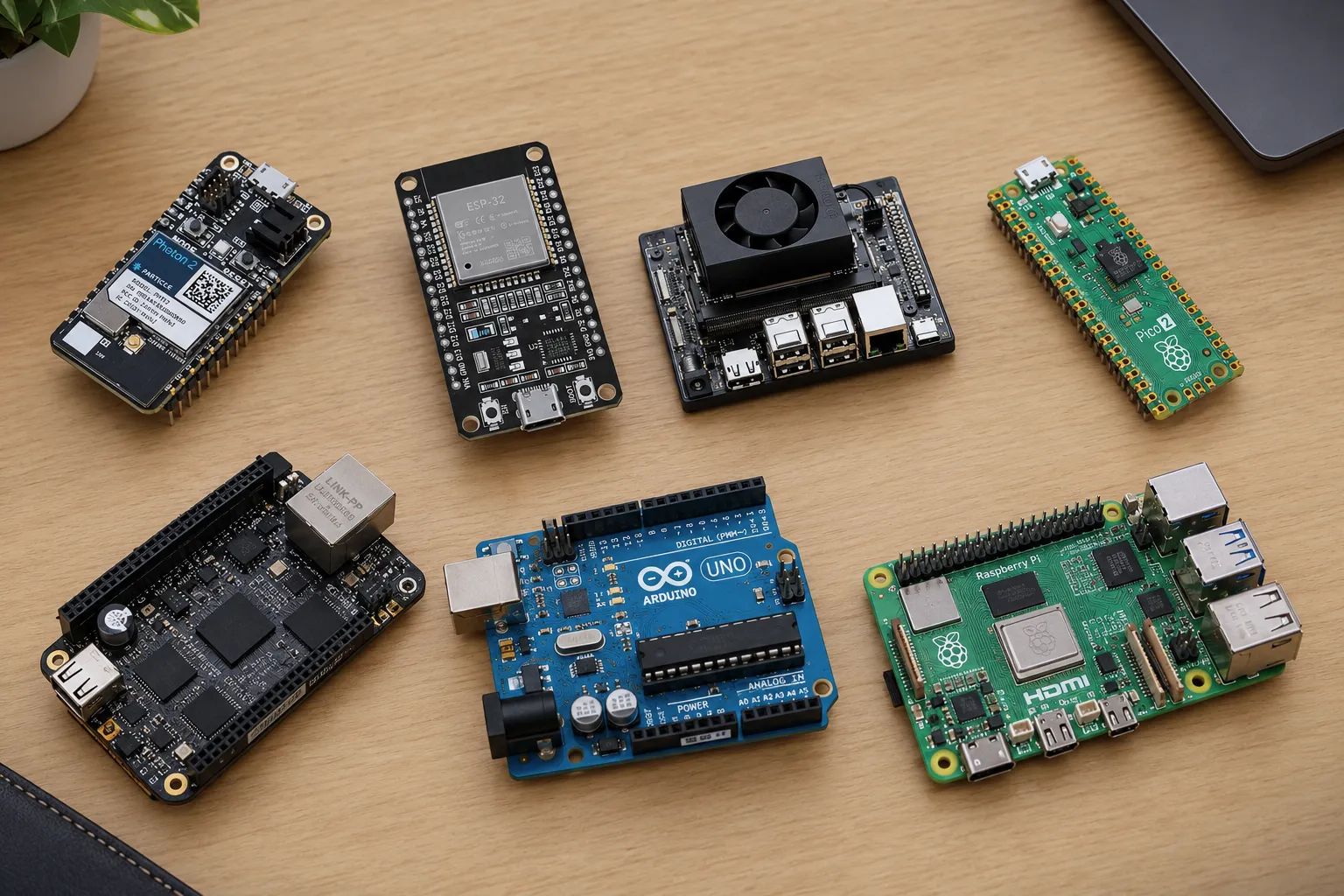
The Raspberry Pi Pico 2 costs $5. The Jetson Orin Nano Super costs $399. Both have pins an LED can be wired to, and past that they have very little in common, which is why "which board should I buy?" has no useful answer until the project has a name.
The first split is whether the job needs an operating system. A microcontroller runs one program, starts in milliseconds, sips power and hits exact timing, but it cannot run a web browser, a database or a camera pipeline. A single-board computer runs Linux and can do all of that, at the cost of looser timing and a much bigger power draw. Six of the boards below are microcontrollers. The other four are small computers.
They run from simplest to heaviest. Prices are in US dollars and reflect mid-2026 listings. Boards with a lot of RAM have been changing price often, so check before ordering.
1. Arduino Uno R3: the easiest first board
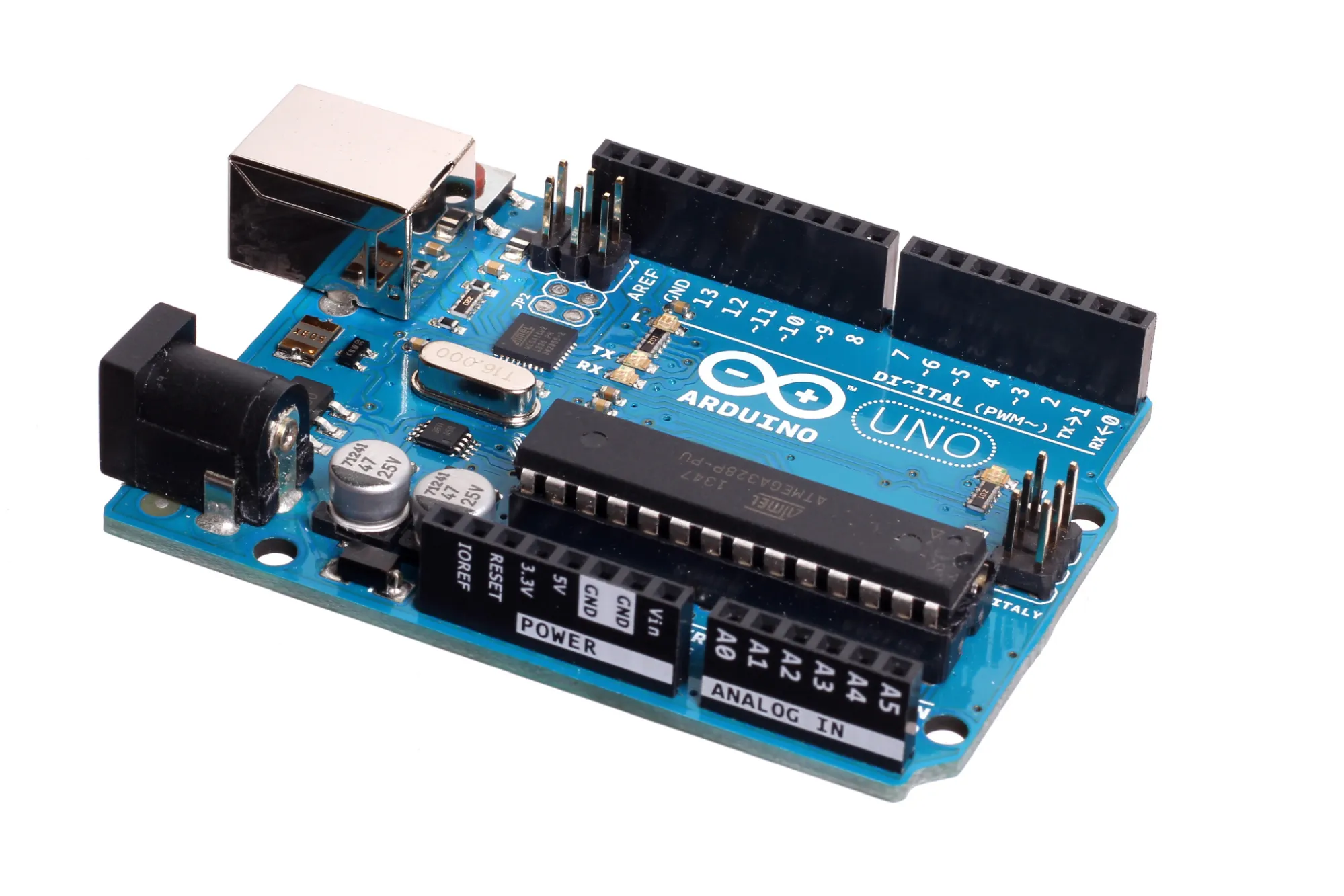
The Uno R3 is the board most people start on, and for a first project that is reason enough to pick it. Its ATmega328P chip runs at 16 MHz with 2 KB of RAM and 32 KB of flash, which is tiny, but the board has 14 digital pins, 6 analog inputs, a USB port and nothing to configure. The official board costs roughly $25, and compatible clones cost less.
The case for it is everything around the chip. The Arduino IDE is free, nearly every beginner tutorial and library assumes an Uno, and shields stack straight onto its headers. It runs at 5 V, which suits the relay modules, servos and sensor boards sold to hobbyists, and the chip sits in a socket, so a wiring mistake that kills it costs a few dollars to fix instead of a new board. Most of the other boards here run at 3.3 V, so mixing them with 5 V modules takes a level shifter.
People build line-following and obstacle-avoiding robots, robot arms driven by hobby servos, automatic plant waterers, and small CNC machines and plotters running the GRBL firmware on an Uno with a CNC shield. The limits show up with big displays, long strings of text or anything wireless. The 2 KB of RAM runs out quickly and there is no Wi-Fi. A newer R4 keeps the same layout with far more memory, but the R3 is still what most tutorials and shields assume.
2. Raspberry Pi Pico 2: the best value
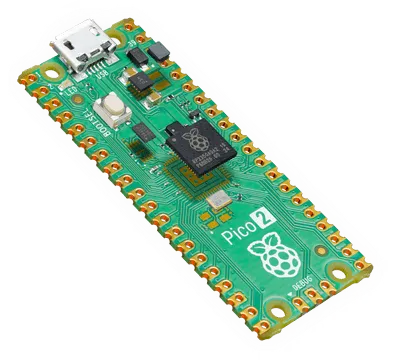
At $5, or $7 for the Pico 2 W with Wi-Fi 4 and Bluetooth 5.2, the Pico 2 is the strongest value on the list. The RP2350 chip has two cores at 150 MHz (a pair of Cortex-M33 or a pair of RISC-V Hazard3, selectable), 520 KB of RAM and 4 MB of flash. That is 260 times the RAM of an Uno R3 for a fifth of the price. It runs MicroPython, C/C++ or Arduino code, so it suits Python users as well as C programmers, and Raspberry Pi has committed to keeping the line in production until at least 2040, which matters if the board ends up inside a product.
The standout feature is PIO: three blocks of small programmable state machines, twelve in total, that handle pin-level signals without touching the CPU. They drive addressable LED strips, read sensors with unusual interfaces and implement protocols the chip has no hardware for. When a project needs a signal timed precisely and no peripheral exists for it, PIO is usually the cheapest fix.
Typical Pico builds include LED strip animations, custom USB keyboards and macro pads, motor and sensor controllers that sit beside a Raspberry Pi, and displays driven straight from the chip, since the RP2350 has a dedicated high-speed output block meant for DVI video. The wireless on the W model is basic. For serious networking the ESP32 has the larger ecosystem.
The pins run at 3.3 V.
3. ESP32: the default for anything wireless
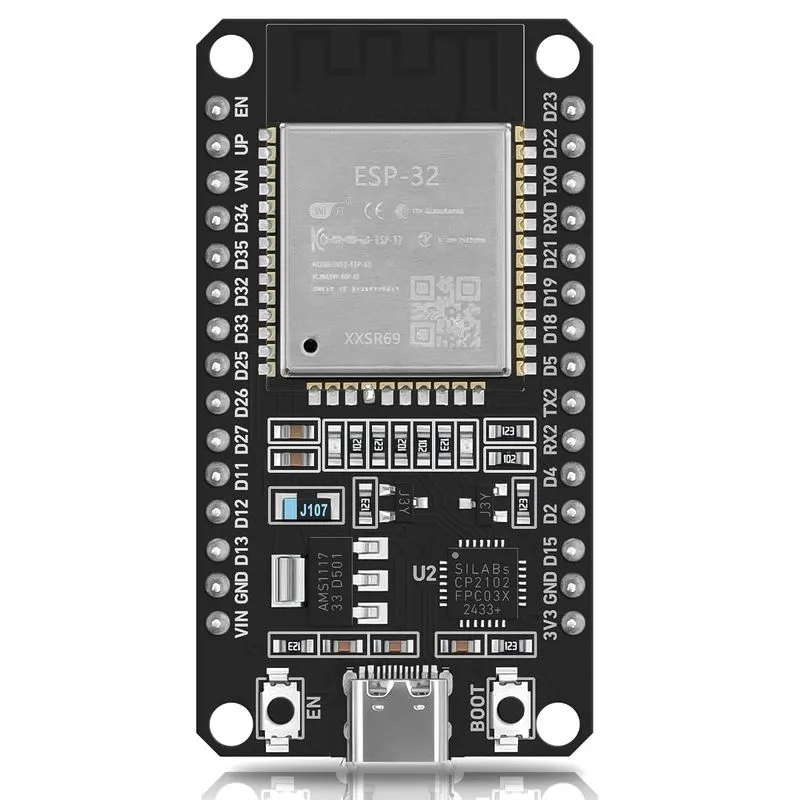
ESP32 is a family, and choosing the right member matters more than choosing the board.
The reason to pick one at all is wireless. Wi-Fi and Bluetooth are built into a chip that is among the cheapest here, and it runs Arduino code, so anything learned on an Uno carries over. Add one of the largest collections of wireless tutorials and ready-made firmware, and it becomes the default choice for connected gadgets.
For most new projects the pick is the ESP32-S3. It has two cores at 240 MHz, 512 KB of RAM, Wi-Fi 4, Bluetooth LE 5, native USB and vector instructions that speed up small machine-learning models, which makes camera and voice projects realistic at a low price. The other variants cover the edges. The C3 is a cheap single-core RISC-V chip for battery-powered sensors. The C6 adds Wi-Fi 6 plus Thread and Zigbee, which makes it the choice for Matter smart-home devices. The P4 is a 400 MHz dual-core chip aimed at displays and cameras with no wireless of its own, so it needs a separate radio. The original ESP32 keeps one thing the newer chips dropped, Bluetooth Classic, and that is what streaming audio to a speaker requires.
People build Wi-Fi sensors for temperature, humidity or air quality that report to Home Assistant through the ESPHome firmware, WLED controllers that run addressable LED strips from a phone app, small camera projects, Bluetooth audio adapters and BLE beacons.
Everything in the family runs at 3.3 V and accepts Arduino code, MicroPython or Espressif's own ESP-IDF framework. An ESP32 is a wireless chip first, so work that needs hard timing guarantees is safer on a separate microcontroller.
4. Teensy 4.1: fast, with real USB and audio
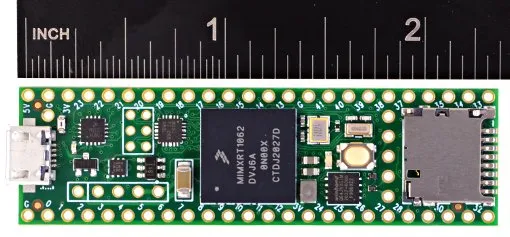
The Teensy 4.1 ($31.50) is the pick when an Uno or Pico runs out of speed and the project still has to stay simple. A 600 MHz Cortex-M7 sits beside 1 MB of RAM, 8 MB of flash, 10/100 Ethernet, a microSD slot, a USB host port and 55 digital pins, and it programs through the Arduino toolchain, so nothing has to be learned from scratch. There is no wireless.
It has two specialties. The audio library handles synthesizers, effects processors and mixers at low latency, and the board can present itself to a computer as a keyboard, mouse, MIDI controller or game controller with no extra hardware. Builds that use those strengths include synthesizers and guitar effects pedals, MIDI controllers, flight-sim and gaming control panels, large LED displays (PJRC sells an adapter that drives eight strips at once) and fast data loggers that write to the SD card or send readings over Ethernet.
For almost anything else, a Pico 2 does the job for about $26 less.
5. STM32: the one professionals use
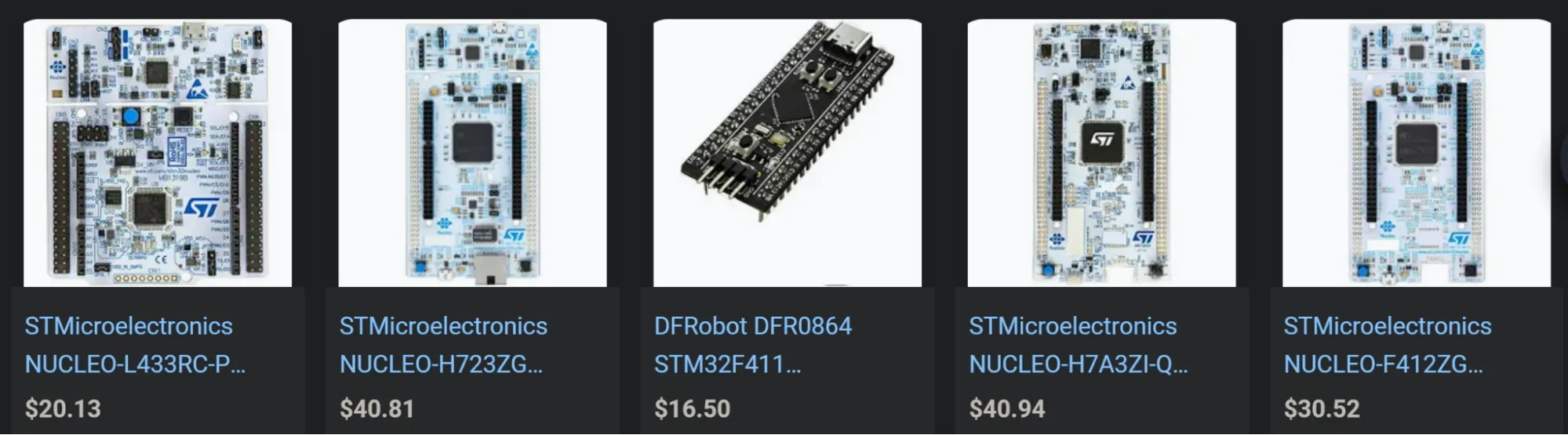
STM32 is a family of microcontrollers from STMicroelectronics, not a single board, and ST's Nucleo boards are the usual way in. Most cost between $15 and $40 and carry a debugger on the board, so no separate probe is needed, and the toolchain (STM32CubeIDE and the HAL libraries) is free. The range is wide. At one end are ultra-low-power Cortex-M0+ parts. In the middle is the STM32H7 at 480 MHz. At the top is the STM32N6, an 800 MHz Cortex-M55 with a built-in neural accelerator rated at 600 GOPS, whose Nucleo board runs around $74.
People pick STM32 for two reasons. The skills transfer directly to embedded engineering jobs, and a project can move from a Nucleo board to the same family's chips in a finished product without changing platform. Typical builds are drone flight controllers (Betaflight and ArduPilot both run on STM32 hardware), brushless motor controllers, 3D printer mainboards, battery monitors and analog data-acquisition devices.
STM32 does not hold hands. Clocks, DMA channels, interrupt priorities and peripheral registers are yours to configure, and the documentation is dense. In return you get predictable timing, industrial temperature grades and the same chips found in shipping drones, medical devices and factory controllers. Choose it when the board is a step toward a product, or when the goal is to learn how microcontrollers really work.
6. Particle Photon 2: connected products without building the cloud
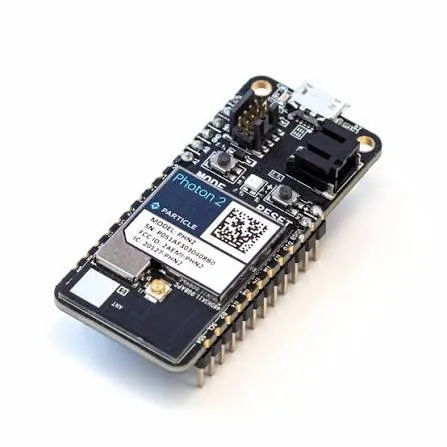
The Photon 2's hardware is ordinary: a 200 MHz Cortex-M33 (Realtek RTL8721DM), dual-band Wi-Fi on 2.4 and 5 GHz, Bluetooth LE, a Feather form factor and a price near 25 euros in Europe. The platform behind it is the product. Every Photon 2 registers to a Particle account, takes over-the-air firmware updates, publishes data to the cloud, receives remote commands and can be monitored as part of a fleet.
On an ESP32 all of that is yours to build, from the update server to the dashboard to the messaging pipeline. For one hobby gadget that overhead is not worth it, and the Photon 2 is overkill. For a startup shipping a few hundred connected devices it removes months of backend work, and the P2 module lets the same firmware move from the prototype board to production. The 5 GHz radio also helps in buildings where the 2.4 GHz band is crowded.
The fit is a group of devices that must be managed together. Examples are Wi-Fi air-quality sensors spread across a building and watched from one dashboard, or a prototype appliance that has to be updated after it reaches a customer's home. Particle's free plan covers up to 100 devices with no time limit. Past that you pay, so the cost of the convenience is a long-term dependency on Particle's platform.
7. Raspberry Pi 5: a small Linux computer
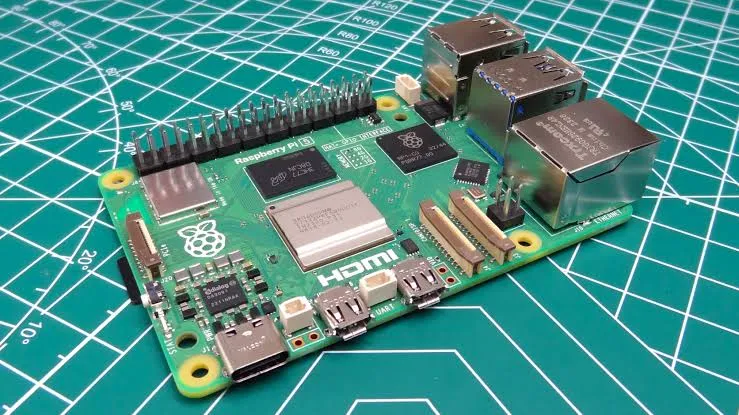
The Pi 5 is the first board here that is a computer in the ordinary sense. It has a quad-core Cortex-A76 at 2.4 GHz, 1 to 16 GB of RAM, USB 3 and Gigabit Ethernet, and it runs Linux. Pick it when the project needs a screen, a camera, a network service or ordinary software, because it has the largest community of any board here and almost every problem already has a tutorial.
People turn it into a Home Assistant hub for smart-home automation, a Pi-hole that blocks ads for a whole network, a media or file server, a retro game console, a time-lapse or security camera with motion detection, and the brain of a robot running ROS 2 with a camera and OpenCV. It handles small TensorFlow Lite models too, and Raspberry Pi sells AI accelerator add-on boards for heavier vision work.
Precise timing is the weak spot. Linux is not a real-time operating system, so GPIO timing done in software jitters, and a Pi is a poor choice for generating a motor-driver signal directly. The standard fix is to give the Pi the thinking and a Pico or another microcontroller the timing.
Price is the catch in 2026. A global memory shortage pushed Raspberry Pi to raise prices three times between December 2025 and April 2026. In April the 4 GB model listed at $110, the 8 GB at $175 and the 16 GB at $305, against launch prices of $60, $80 and $120. The 1 GB ($45) and 2 GB ($65) models were left alone. Unless the project needs a desktop or large models, the 2 GB Pi 5 is the sensible buy.
8. BeagleBone Black: Linux with a real-time co-processor
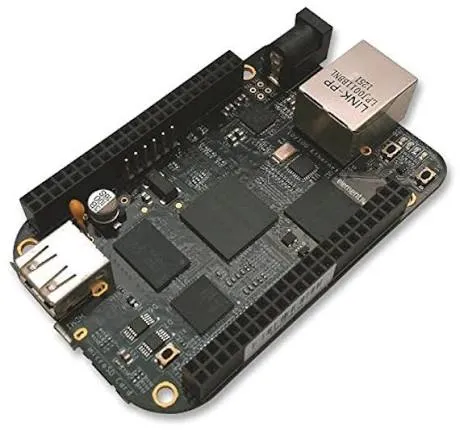
A 1 GHz Cortex-A8, 512 MB of RAM, 4 GB of onboard storage and Linux make the BeagleBone Black look like a slower Pi. The difference is two PRUs: 200 MHz, 32-bit processors on the same chip that run independently of Linux and execute code with nanosecond-level timing. Application logic and networking stay on Linux while the PRUs drive stepper motors, read encoders or speak custom protocols with exact timing, and no second board is needed. The 4 GB of onboard eMMC also means there is no SD card to corrupt, and 65 GPIO pins leave room for a lot of hardware.
That combination explains where it turns up: CNC machines and 3D printers (the Machinekit software and the Replicape printer board were built for it), robots that read several motor encoders at once, LED matrix displays driven by the PRUs, and industrial data gateways.
The catch is age. The AM3358 chip is about a decade old, and the board costs roughly $55 to $75 depending on the seller. Newer Beagle boards exist, such as the PocketBeagle 2 and the BeagleBone AI-64, but only some keep the original cape header. Pick the Black for PRU work, existing capes or an established BeagleBone design. For a fresh start, a Pi 5 plus a Pico covers most of the same ground with a bigger community behind it.
9. Jetson Orin Nano Super: edge AI with a GPU
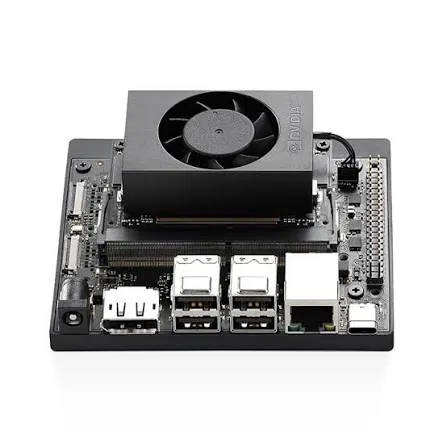
The Jetson Orin Nano Super is for projects where a camera feeds a neural network and the answer cannot wait for a round trip to the cloud. The developer kit pairs an 8 GB module with a 1,024-core NVIDIA GPU rated at up to 67 TOPS, and it runs JetPack with CUDA, TensorRT and DeepStream. Models trained on NVIDIA GPUs move over with little rework, and the board can run several camera streams at once. The top power mode draws 25 W, far more than any microcontroller here.
Typical builds are robots that detect and follow people or objects, smart cameras that count vehicles or pedestrians, rovers and drones that run visual navigation with ROS 2 and NVIDIA's Isaac ROS packages, and voice assistants or small language models that run with no cloud connection.
The kit launched at $249 in December 2024. NVIDIA raised it to $399 in 2026, and it has been on backorder at some stores. NVIDIA has also announced an Orin Nano 2 with roughly twice the inference performance, or 40 percent less power at the same performance, due in the first half of 2027. Waiting makes sense if the project is not urgent. Tutorials for the original 2019 Jetson Nano still crowd the search results, and they describe a much older and weaker board.
10. Coral: low-power AI, in transition
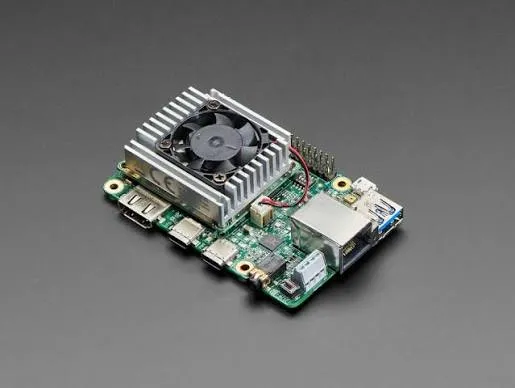
Google's Coral needs a warning more than a recommendation right now. The original Coral Dev Board, with an Edge TPU rated at 4 TOPS and a draw of about 2 W, is listed as discontinued at retailers. It was built for one job, running compiled TensorFlow Lite models at very low power, which suited people-counting cameras, wildlife detectors and wake-word listeners that run on a small supply.
Its successor, the Coralboard, was built with Synaptics around a 1 TOPS NPU based on Google's open-source Coral NPU design, with two Cortex-A55 cores at 2 GHz and 2 GB of RAM. It can run Google's Gemma 3 270M model entirely on the device, and the launch demos included on-device voice translation. So far it exists only as a limited edition handed out at Google I/O 2026. General availability and pricing have not been announced.
For low-power AI today, a Jetson or a Pi with an accelerator is the practical route. If the project has a long timeline and runs compact models, the Coralboard is worth watching.
| If the project is | Start with |
|---|---|
| Learning, or reusing shields and 5 V modules | Arduino Uno R3 |
| Cheap and general purpose | Raspberry Pi Pico 2 (Pico 2 W for wireless) |
| Wi-Fi or Bluetooth on a budget | ESP32-S3 (C6 for Thread, Zigbee and Matter) |
| Audio, fast signal processing or custom USB devices | Teensy 4.1 |
| Headed for a product, or timing that cannot slip | STM32 Nucleo |
| A fleet of connected devices with remote updates | Particle Photon 2 |
| A camera, a web server, a database or a desktop | Raspberry Pi 5 |
| Linux plus nanosecond I/O timing on one board | BeagleBone Black |
| Real-time vision with neural networks | Jetson Orin Nano Super |
| Low-power AI | Coral, once the Coralboard goes on sale |
Many projects end up with two boards. A computer does the thinking and a microcontroller does the timing, so a Pi 5 or a Jetson paired with a Pico or an STM32 on the motors is a common setup. It also removes the search for one board that does everything.
Have a correction or a different result? Write to the editor.